The full project code is available on GitHub: jstrebeck/demand-forecast-mlops .
I’ve spent about a week building out a demand forecasting project from scratch as a way to get hands-on with the ML and MLOps tooling I’ve been wanting to learn. The goal was straightforward: take some real transaction data, predict weekly order volumes, and stand up the full infrastructure to train, track, serve, and eventually retrain models automatically. I wanted to do it all on my own hardware, not in a managed cloud service, because I learn more when I have to figure out the plumbing myself.
This post covers where the project stands today, what’s worked, what surprised me, and what’s left to build.
Why This Project
I come from a DevOps background, so Kubernetes and infrastructure are home turf for me. But I wanted to bridge into MLOps, and the best way I know to learn something is to build it end-to-end. Reading docs and watching tutorials only gets you so far - at some point you need to hit real problems with real data.
The other motivation is studying for the AWS Machine Learning Engineer – Associate (MLA-C01) certification. Rather than just memorize what SageMaker services do, I wanted to build the equivalent infrastructure myself so I’d actually understand the problems each service solves. Every tool in this project maps to an AWS managed service - the homelab stack is essentially a self-hosted version of what you’d build on SageMaker and its surrounding ecosystem.
| Layer | Tool | AWS Equivalent | MLA-C01 Domain |
|---|---|---|---|
| Data Storage | TrueNAS NFS + PostgreSQL | S3 + RDS | Domain 1: Data Preparation |
| Experiment Tracking | MLflow Tracking Server | SageMaker Experiments | Domain 2: ML Development |
| Model Registry | MLflow Model Registry | SageMaker Model Registry | Domain 2: ML Development |
| Pipeline Orchestration | Kubeflow Pipelines | SageMaker Pipelines | Domain 3: Deployment & Orchestration |
| Model Training | PyTorch (GPU node) | SageMaker Training | Domain 2: ML Development |
| Model Serving | KServe + FastAPI | SageMaker Endpoints | Domain 3: Deployment & Orchestration |
| Monitoring | Evidently AI + Grafana | SageMaker Model Monitor | Domain 4: Monitoring & Security |
| CI/CD | GitHub Actions + Argo CD | CodePipeline + CodeBuild | Domain 4: Monitoring & Security |
When I’m done, I should be able to point at any part of this project and explain both how it works and what the managed AWS equivalent would give you instead. That’s a much stronger foundation than flash cards.
I picked demand forecasting because the data is tabular, the problem is well-understood, and it gave me an excuse to touch every layer of the stack: data pipeline, feature engineering, model training, experiment tracking, model registry, serving, and (eventually) automated retraining and monitoring.
Phase 1: Data Pipeline and Feature Engineering
This is the part that took longer than I expected. The raw data was CSV exports - messy encoding, grouped report formatting, duplicate records across multiple files. Cleaning that up and getting it into a usable shape was a project in itself.
Once the data was clean, I built out weekly aggregations with zero-fill for weeks where nothing was ordered (sparse demand is the norm here, not the exception). The feature engineering ended up being the most interesting part of this phase:
- Lag features: 1 through 4 weeks of historical order quantities
- Rolling statistics: mean and standard deviation over 4-week and 12-week windows
- Calendar/seasonality: week of year, month, quarter, plus cyclical sin/cos encodings so the model doesn’t treat December and January as maximally far apart
- Item profile stats: lifetime mean, standard deviation, max, and active rate per SKU
Everything gets stored in both Parquet files and PostgreSQL. Parquet for fast local iteration, Postgres for the serving layer to query at inference time.
Phase 2: Model Training with PyTorch
I trained three models to compare approaches:
| Model | MAE |
|---|---|
| Linear Regression | 1.04 |
| XGBoost | 0.59 |
| LSTM | 1.21 |
XGBoost won by a wide margin, which honestly wasn’t surprising for tabular data with engineered features. The LSTM was the most fun to build but performed the worst - I think it would need a lot more data and tuning to beat the tree-based approach here.
One gotcha: MAPE (mean absolute percentage error) looked terrible across all models, but that’s because so many weeks have zero or near-zero orders. When your actual value is 1 and you predict 2, that’s 100% error by MAPE but only 1 unit off by MAE. For sparse demand like this, MAE tells the real story.
All training ran on my RTX 4070 through WSL2. The GPU was overkill for XGBoost and linear regression but made the LSTM training loop noticeably faster.
Phase 3: MLflow on Kubernetes
This was the phase where my DevOps background actually paid off. I deployed an MLflow tracking server on my Talos Kubernetes cluster with PostgreSQL as the backend store and Ceph persistent volumes for artifact storage.
The setup:
- Custom Docker image pushed to my private registry
mlflow-skinnyclient on my workstation for lightweight experiment logging- Artifacts stored via
pickleandtorch.save
After training, XGBoost got promoted to the MLflow model registry as version 1 with a staging alias. Having a proper registry instead of just saving model files to disk changes the workflow completely - now the serving layer can just ask for “the current staging model” without knowing anything about file paths or versions.
Phase 5 (partial): Model Serving
I jumped ahead to model serving before tackling Kubeflow pipelines because I wanted a working end-to-end demo sooner rather than later.
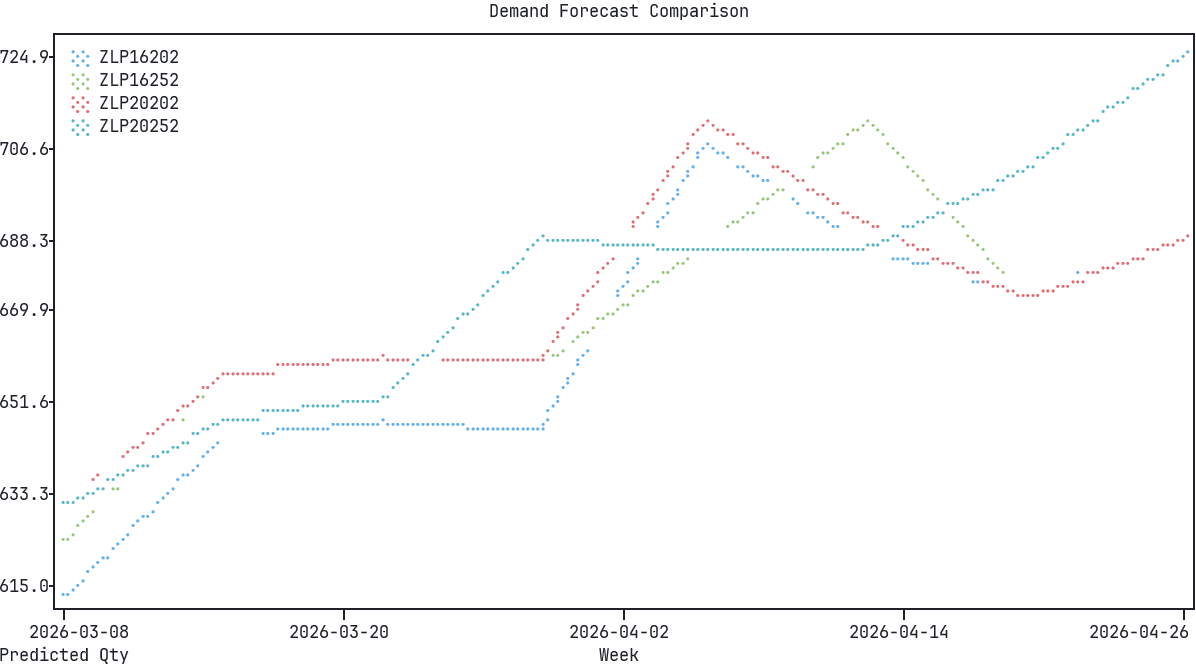
The serving app is a FastAPI service with three endpoints:
/predict- single prediction for a given SKU and date/predict/batch- multiple SKU predictions in one call/predict/forecast- multi-week forecast for planning
It pulls the current staging model from MLflow and queries PostgreSQL for the latest features at inference time. Right now it runs locally - deploying it to Kubernetes with KServe is on the list.
What’s Left
Three phases are still outstanding:
Phase 4: Kubeflow Pipelines - This is the big one I’m most excited about. Automated retraining pipelines that kick off when new data arrives, retrain the model, evaluate it against the current production model, and promote it if it’s better. Haven’t started this yet.
Phase 5 (remaining): Kubernetes deployment - Getting the FastAPI serving app onto the cluster with KServe. The app itself is done, it’s just the deployment and networking piece left.
Phase 6: Monitoring and Drift Detection - Setting up alerts for when the model’s predictions start degrading, tracking feature drift, and figuring out when to trigger retraining. This is the part that ties everything together into something you could actually run in production.
What I’ve Learned So Far
A few things that stand out:
Data work is the real job. I spent more time on data cleaning and feature engineering than on model training. By a lot. The actual PyTorch and XGBoost code was the easy part.
Infrastructure matters more than you’d think. Having MLflow and Postgres running on Kubernetes with proper persistent storage made the whole workflow feel real. When I was just saving models to local files and eyeballing training curves in terminal output, it didn’t feel like something you could hand off to someone else. Now it does.
Start with the simplest model. I’m glad I trained a basic linear regression first. It gave me a baseline to beat, and honestly, an MAE of 1.04 is not terrible for this problem. If I’d jumped straight to the LSTM I would’ve spent way more time tuning it without knowing whether the complexity was justified.
I’ll write follow-up posts as I work through the Kubeflow and monitoring phases. Those are the pieces that turn this from “a model that works on my laptop” into something closer to a real MLOps pipeline.